
 Jellyfin, but native
Stream your movies and shows or download them to watch offline.
 Download for Mac
 View on GitHub
Free and open source · Version 0.1.0 · Public beta



Your library,
in one place.
Browse your Jellyfin movies and shows, pick a season, and keep watching. Your progress stays in sync with your server.

Watch the trailer
Watch trailers provided by Jellyfin in a separate window.

Follow the cast
Select an actor or crew member to see their other movies and shows on your server.

Find your next watch
Explore related titles recommended by Jellyfin, all from your own collection.

Watch without a connection.
Download movies and episodes from your server.
Your progress syncs when you reconnect.
Play more formats.
VLC playback is built in. Choose audio tracks, adjust subtitles, and play in a separate window.
Play your movies
and shows.
VLC playback in a separate window. The controls stay on the picture and disappear while you watch.
Playback controls, right on the picture.
One episode after another
The next episode starts when the current one ends. Autoplay is on by default and can be changed in Settings.
Skip intros. Move past credits.
Skip Intro appears during a server-provided intro. At the credits, Next Episode appears if Jellyfin supplies an Outro marker; otherwise it appears at the end.
Subtitles that suit you
Choose a language and adjust text size, color, and position. Your preferred language is remembered for later videos.
Your audio, your pace
Switch audio tracks, save your preferred language, or change playback speed.
A window that fits
Resize with the video’s aspect ratio locked, enter full screen, or use native Picture in Picture and AirPlay with compatible streams.
Made for watching on a Mac
Use media keys and macOS Now Playing. Jump 10 seconds, scrub, or adjust volume. Controls and cursor hide together, and the display stays awake during playback.
Connect your server.
A Jellyfin account is all you need.
- 01
Install Theatre
Open the DMG and drag Theatre into Applications.
- 02
Sign in
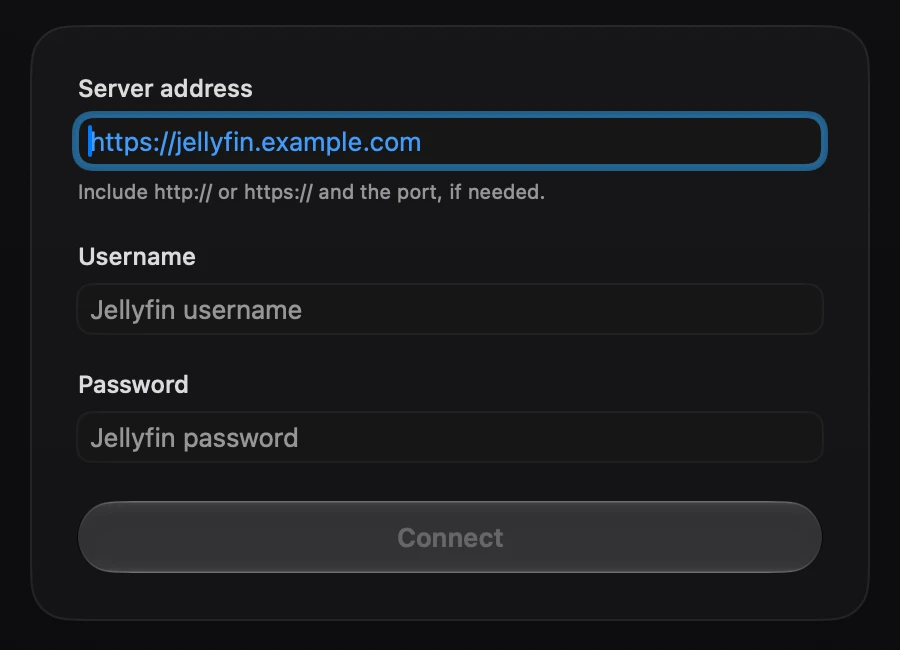
Enter your Jellyfin server address, username, and password.
A few questions.
What to know before you download.
Try the public beta.
Download Theatre and share bugs or feedback on GitHub.

Get Theatre for Mac.
Watch your Jellyfin library, online or offline.